WF Chat with secure team chat on Swedish servers
Secure team communication with chat, channels, voice and video calls on Swedish servers without third-party tracking.


WF Chat works especially well in a broader workplace setup with Microsoft 365, remote desktop and our wider cybersecurity services for teams with higher privacy and control requirements.
A Swedish alternative to Slack, Discord and Teams
WF Chat gives your team a secure space for communication — without your data leaving Sweden, without third-party tracking, and without compromising on features. Built and operated by Webbfabriken on our own servers in Stockholm.
WF Chat is currently free to use. Create an account and get started in minutes.
What does WF Chat actually do for your team?
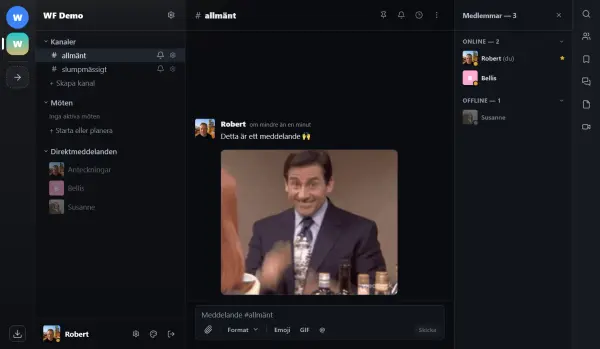
Format text with bold, headings and links. Send emoji and GIFs. Mention team members with @ to notify them directly.
What is included for your team in WF Chat?
Channels & direct messages
Organize conversations in channels — public, private or information channels. Send direct messages to individuals or groups. Share files, GIFs, emoji and more.


Voice & video calls
Start voice or video meetings directly from any channel. Share your screen, use the meeting chat, and invite team members. Perfect for daily standups, planning meetings and quick syncs.
Threads & notes
Keep conversations organized with threads — reply to a specific message without cluttering the main channel. Use the personal notes feature for your own private workspace.


File sharing & meetings
Share files directly in channels or direct messages. All files are stored encrypted. Create and manage meetings with agenda and participants — everything in one place.
How secure is WF Chat compared to Slack and Teams?
Your data stays in Sweden, encrypted and under your control.
Where can you use WF Chat — desktop, web or mobile?
Use WF Chat in your browser at wf.chat, download the desktop app for Windows, or install the mobile app on Android and iOS.


How do I get started with WF Chat?
Visit wf.chat and create a free account. Join an existing server with an invite link, or contact us to set up a dedicated server for your organization.
Need a dedicated server?
Contact us if your organization needs a dedicated WF Chat server with custom configuration and full control.
Contact usFrequently asked questions about WF Chat
Is WF Chat really free? +
Where is WF Chat hosted? +
How does WF Chat compare to Slack, Teams or Discord? +
Can I install WF Chat on Windows, Mac or mobile? +
How do I get started? +
Describe your environment and what you want to improve
We help you compare levels, plan migration, improve operations and choose the right setup.